What the takabe App Gives You
Instant Deposits via bKash & Nagad
Top up your takabe wallet in under 2 minutes using bKash, Nagad, Rocket, or Upay — all from inside the app. No browser tabs, no copy-pasting account numbers. The minimum deposit is ৳300, so you can start small and test the platform before committing more.
Live Cricket Betting with Real-Time Odds
Bet on BPL, IPL, T20 World Cup, and ODI series with odds that update ball-by-ball. The app handles score feeds and bet placement on the same screen, so you never miss a wicket-fall price shift. Push notifications alert you when odds move on your watched matches.
Live Casino Streaming Without Lag
Sexy Gaming, Pragmatic Play, and Playtech live tables stream at up to 1080p inside the takabe app. Even on a standard 4G connection in Dhaka, the stream holds stable. You can chat with dealers and place side bets — the same experience as the desktop version, on a 6-inch screen.
Push Alerts for Bonuses & Withdrawals
The app sends a push notification when your withdrawal is processed — usually within 23 minutes. You also get alerts for reload bonus windows, daily cashback credit, and VIP tier upgrades. Turn off any alert type individually in app settings — no spam, your choice.
Dark Interface Built for Night Play
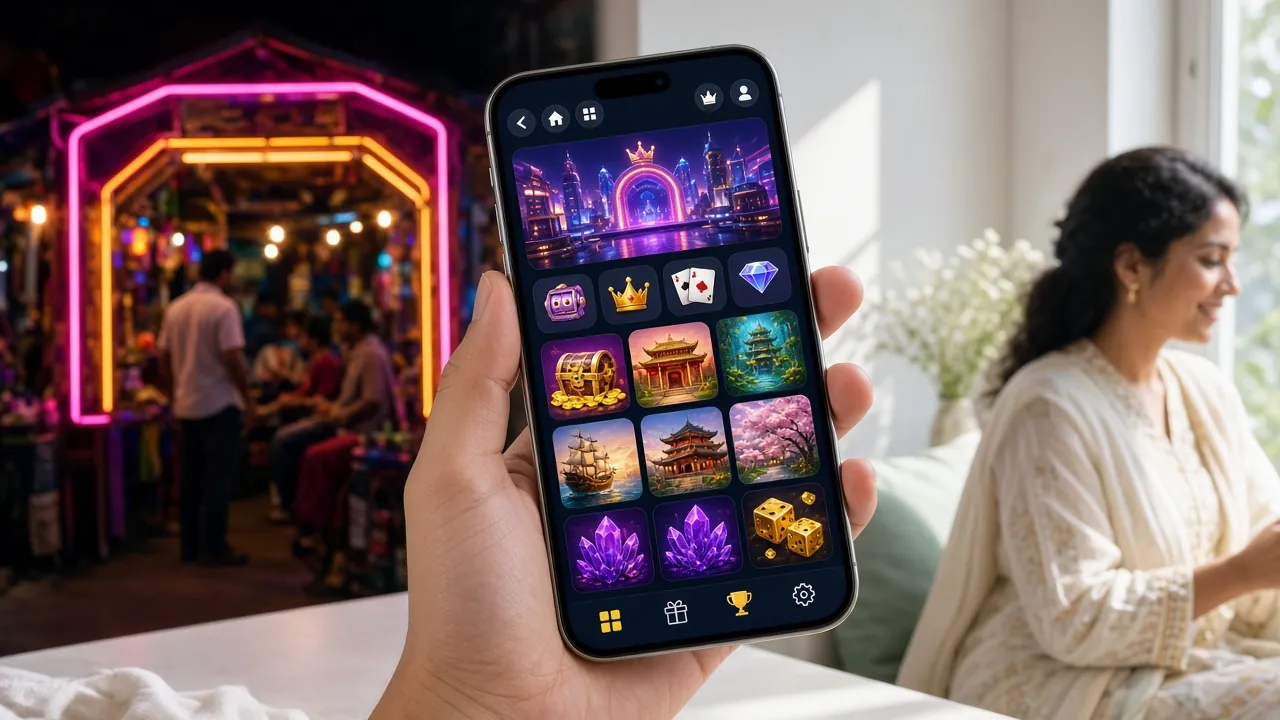
The takabe app uses a true dark UI — not just a filter over a light layout. Game thumbnails, bet slips, and account screens all sit on the same dark background you see on this site. Playing at night with the screen at half brightness is comfortable, with no white flash between screens.
24/7 Live Chat Inside the App
Tap the chat icon from any screen to open a live support session. Agents respond in English and can help with account verification, deposit issues, bonus queries, and game errors. The takabe support team is on shift around the clock — no need to open a browser to get help.
Is the takabe APK Safe to Install?
Android blocks apps from outside the Play Store by default — that is a sensible security layer. The takabe APK is signed, scanned before every release, and served over HTTPS. Here is what the app requests and why.
HTTPS & Signed APK
Every version of the takabe APK is signed with a developer certificate before it is published. The download link uses HTTPS, so the file cannot be tampered with in transit. After downloading, Android checks the signature automatically at install time — if it does not match, the install stops. Never download the APK from a third-party site; use only takabe.lol/download/takabe.apk.
App Permissions Explained
The takabe app requests three permission groups: Internet (to load games and process payments), Notifications (optional push alerts for bonuses and withdrawals), and Storage (to cache game assets for faster load). It does not request access to contacts, camera, microphone, or location. You can review and revoke any permission in Android Settings → Apps → takabe.
Payment Data Never Stored Locally
Your bKash or Nagad transaction credentials are entered inside the payment gateway's own secure page — not in the takabe app itself. The app never stores your mobile banking PIN or card details. All payment sessions use TLS 1.3 encryption. If you lose your phone, there is no payment data on the device that could be misused.
Automatic Security Updates
When a new version of the takabe app is available, the app displays an in-app update banner the next time you open it. Version 3.2.18 is the current release (updated 9 November 2026). You can also check manually: go to Account → About → App Version. Keeping the app updated ensures you have the latest security patches and game provider integrations.
How to Install the takabe APK on Android
The whole process takes about 3 minutes on a standard 4G connection. You need Android 7.0 or higher and 45 MB of free storage.
Allow Installation from Unknown Sources
Go to Settings → Security (or on Android 8+: Settings → Apps → Special App Access → Install Unknown Apps). Find your browser (Chrome or any other) and toggle "Allow from this source" to ON. You only need to do this once. This tells Android to allow APK files downloaded through that browser to be installed — it does not lower your overall security for other apps.
Download the APK File
Tap the Download APK Free button on this page. Your browser will download takabe.apk (45 MB) to your phone's Downloads folder. On a 10 Mbps connection it takes about 36 seconds. Wait for the notification bar to show "Download complete" before proceeding. Do not close the browser during the download.
Open the Downloaded File
Pull down the notification bar and tap takabe.apk in the completed downloads list, or open your Files app, go to Downloads, and tap the file there. Android will show an install prompt with the app name, permissions summary, and version number. Check that the app name reads takabe and the version shows 3.2.18 before continuing.
Tap Install and Wait
Tap Install on the prompt. Android verifies the APK signature and unpacks the files — this takes 20–30 seconds on most phones. A progress bar appears. Do not press the Home button during this step. If Android shows a "Play Protect" warning, tap "Install anyway" — this is a standard warning for all APKs outside the Play Store, not specific to takabe.
Log In or Register Your Account
Once installed, tap Open. You will see the takabe login screen. If you already have an account, enter your phone number and password to log in. New players can tap Create Account to register in under 2 minutes. After logging in, you can deposit via bKash or Nagad and claim the welcome bonus straight from the app.
Using takabe on iPhone or iPad
Apple does not allow APK installs on iOS. Instead, add the takabe mobile site to your Home Screen as a web app — it loads and behaves very similarly to a native app, with no App Store required.
-
1Open Safari on your iPhone or iPad Visit takabe.lol in Safari. The site is mobile-optimised and loads the same game lobby, live casino, and payment options you see on Android. Chrome and Firefox on iOS do not support the "Add to Home Screen" shortcut for web apps, so Safari is required for this step.
-
2Tap the Share Icon At the bottom of the Safari screen, tap the Share button (the square with an arrow pointing up). The share sheet slides up from the bottom of the screen. Scroll down the list of options until you see "Add to Home Screen".
-
3Tap "Add to Home Screen" Tap the option. iOS will suggest the page title as the icon name. You can rename it to takabe for a cleaner look. Then tap Add in the top-right corner. The takabe icon will appear on your Home Screen immediately.
-
4Open the App from Home Screen Tap the takabe icon on your Home Screen. It opens in full-screen mode with no Safari address bar or toolbar — just the game lobby. Log in with your account credentials. The site saves your session, so you will not need to log in every time unless you log out manually or clear Safari data.
iOS limitation: Web app shortcuts do not receive push notifications on most iOS versions. For bonus alerts and withdrawal confirmations on iPhone, check the takabe site directly or enable email notifications inside your account settings.
Download the takabe App
Click the button below to download the official APK directly from takabe.lol. File: takabe.apk · Size: 45 MB
Download APK · takabe.apk · 45 MBIf you get a "File may be harmful" warning from Chrome, tap "Download anyway". This is Chrome's standard caution for all APK files, not a sign of a problem. Verify the file size is 45 MB after download.
App Specifications
What Can You Play in the takabe App?
Full game lobbyThe app carries the same 4,800-game library as the desktop site. Slots, live casino, sports, Crash, and fishing games all load inside the app — no redirects to the browser.


App or Browser — Which Should You Use?
Both options give you the full takabe game lobby. The app has a few practical advantages for daily players, while the browser is the quickest way to try the site without installing anything.
If you play takabe more than a few times a week, the app is worth installing — push alerts alone save you from missing time-limited reload bonuses. If you are trying the site for the first time, the mobile browser works just fine: register an account and you can always download the APK later.
Install Problems? Fix Them Here
Most APK install errors are caused by one of five common situations. Find your error message in the table below and follow the fix.
If none of the fixes above work, open the 24/7 Live Chat from the takabe site and share your device model, Android version, and the exact error message. The support team can walk you through the install step by step.
Questions Players Ask Before Downloading
Is the takabe APK safe to install on my Android phone?
Yes. The takabe APK is signed with a developer certificate and served over HTTPS from takabe.lol. Android verifies the signature automatically when you tap Install — if the file has been altered in any way, the install will fail. Download only from the official link on this page (takabe.lol/download/takabe.apk), not from third-party APK mirror sites. The app does not request access to your contacts, camera, microphone, or location. Its three permissions — internet, notifications, and storage — are standard for any gaming app. You can review and revoke them at any time in Android Settings → Apps → takabe → Permissions.
Why does Android show a warning when I try to install the APK?
Android shows a "Install blocked" or "Play Protect" warning for every APK that comes from outside the Google Play Store. This is a system-level precaution, not a sign that the takabe app is harmful. To allow the install, go to Settings → Apps → find your browser → Install Unknown Apps → turn it ON. The Play Protect warning (if it appears) has an "Install anyway" option — tap that to proceed. These warnings are shown for all sideloaded APKs, including apps from many legitimate services that are not listed on the Play Store.
How do I update the takabe app when a new version comes out?
When a new version is available, the takabe app shows an in-app banner the next time you open it. Tap "Update Now" and you will be taken to the download page for the latest APK. Download and install it over the existing app — your account, game history, and wallet balance are all stored server-side, so nothing is lost during the update. You can also check manually: Account → About → App Version. The current version is 3.2.18, released 9 November 2026. Keep the app updated to get the latest game providers, payment options, and security patches.
Can I use the takabe app on iPhone or iPad?
Apple does not allow APK files on iOS, so a native iPhone app is not available. The best alternative is to add the takabe mobile site to your Safari Home Screen as a web app. Open takabe.lol in Safari, tap the Share button, and choose "Add to Home Screen". The icon will appear on your Home Screen and the site opens in full-screen mode without a browser toolbar. You get the same game lobby, bKash and Nagad deposits, and live casino access — the main difference is that iOS web apps do not currently support push notifications, so you will need to check the site manually for bonus alerts.
What happens to my account balance if I uninstall the app?
Your takabe account, wallet balance, and bonus progress are stored on the server, not on your phone. Uninstalling the app does not affect your funds or account status in any way. You can uninstall, reinstall, or switch to a different device and log in to find everything exactly as you left it. After reinstalling, enter your registered phone number and password on the login screen. If you have forgotten your password, use the "Forgot Password" option on the login page to reset it via your registered number.
What is the minimum withdrawal amount in the takabe app?
The minimum withdrawal is ৳1,100 and the maximum per day is ৳85,000 (Starter tier). Withdrawals submitted through the app are processed to bKash, Nagad, Rocket, Upay, or Bank Transfer — the same methods as the desktop site. The first withdrawal after account verification typically takes up to 2 hours; subsequent withdrawals are usually processed within 23 minutes. KYC verification (National ID Card, Passport, or Driving Licence) must be completed before your first withdrawal. You can submit your documents directly inside the app under Account → Verification.
Does the takabe app work on a low-end Android phone?
The takabe app is designed to run on mid-range and entry-level Android devices running Android 7.0 or higher. Slots and card games load well on phones with 2 GB of RAM. Live casino HD streaming performs best on phones with 3 GB RAM or more and a stable 4G connection. If your phone is older or has limited RAM, you can reduce live stream quality to SD inside the app settings, which significantly lowers the data and processing requirements. Fishing games and crash-style games are also less demanding than live dealer tables and work smoothly on most devices that meet the Android 7.0 minimum.
Ready to Install the takabe App?
Download the APK, follow the 5-step install guide above, and you will be playing in under 5 minutes. No Play Store needed. No fees. Minimum deposit ৳300.
18+ · Play Responsibly · Android 7.0+ · v3.2.18 · 45 MB · Free